How to Choose the Best Workflow Collaboration Platform for Your Team

Collaboration is the heartbeat of every successful team - whether you’re a small agency juggling clients or a growing startup managing product releases. But as teams expand and workloads multiply, collaboration starts to feel more chaotic than coordinated. Suddenly, you’re buried in emails, chasing approvals in chat threads, and juggling five different tools just to move one task forward. The result? Confusion, missed deadlines, and frustrated teams. That’s why choosing the best workflow collaboration platform isn’t just a tech decision - it’s a strategy decision. The right tool doesn’t just help your team “work together”; it builds a structured, transparent system where collaboration flows naturally and progress never gets lost in the noise. In this blog, we’ll break down how to evaluate collaboration platforms, what features actually matter, and why Dyzo is redefining what it means to manage workflows with simplicity and precision.
Why Every Team Needs a Workflow Collaboration Platform
A few years ago, teams could get by with email threads, spreadsheets, and occasional Zoom calls. But in the era of remote work and distributed teams, that’s no longer enough. According to Asana’s “Anatomy of Work” report, employees spend nearly 60% of their time on work coordination - not the actual work itself. That means most productivity is lost in communication gaps, manual updates, and unclear priorities. A workflow collaboration platform solves this problem by centralizing everything - tasks, communication, reporting, and accountability - in one place. Instead of guessing what’s done or waiting for updates, everyone sees progress in real time. Managers track performance without micromanaging. Teams collaborate seamlessly across departments. In short, the right platform transforms chaos into clarity - and that’s exactly what modern organizations need.
Common Collaboration Pitfalls (And What to Avoid)
Before choosing a platform, it’s crucial to understand what goes wrong in most team setups:
- Tool overload. Teams use 5–7 tools for chat, tasks, files, and meetings - wasting time switching between them.
- Overly complex software. Some tools promise “all-in-one” solutions but require weeks of training. Complexity kills adoption.
- Lack of accountability. Without task ownership and progress visibility, projects drift.
- Poor integration. When systems don’t talk to each other, manual updates become daily headaches.
- Information silos. Critical updates get lost in DMs or email threads, leading to rework and missed deadlines.
A good collaboration tool isn’t just powerful - it’s intuitive. It should reduce effort, not add to it.
Key Features to Look For in the Best Workflow Collaboration Platform
When you evaluate tools, focus on the features that actually make teamwork effortless. Here’s what truly matters:
1. Easy Task Management
Your platform should make task creation, assignment, and tracking effortless. Managers should see who’s doing what - and employees should always know their priorities.
2. Real-Time Collaboration
Look for tools that support comments, file sharing, and live updates on tasks. The best platforms let your team collaborate asynchronously without needing constant meetings.
3. Workflow Automation
Automation saves hours every week. Whether it’s auto-assigning tasks, sending reminders, or generating reports, the system should take repetitive admin off your team’s plate.
4. Time Tracking and Accountability
Transparent time tracking helps teams analyze efficiency and ensures fairness in billing or performance evaluations.
5. Customizable Templates
Repetitive projects (like onboarding or campaigns) should take seconds to launch using pre-built templates.
6. Data Security & Audit Trail
For client-facing or compliance-heavy work, having a secure audit trail builds trust and transparency.
7. Simplicity and Accessibility
This is the deal-breaker. A tool that’s difficult to use will never be adopted. Choose a platform that feels natural - one your team actually enjoys using daily.
Why Dyzo Is the Best Workflow Collaboration Platform for Modern Teams
Now that you know what makes a great platform, let’s see how Dyzo brings it all together - combining simplicity, automation, and accountability in one sleek system.
Seamless Task Creation and Tracking
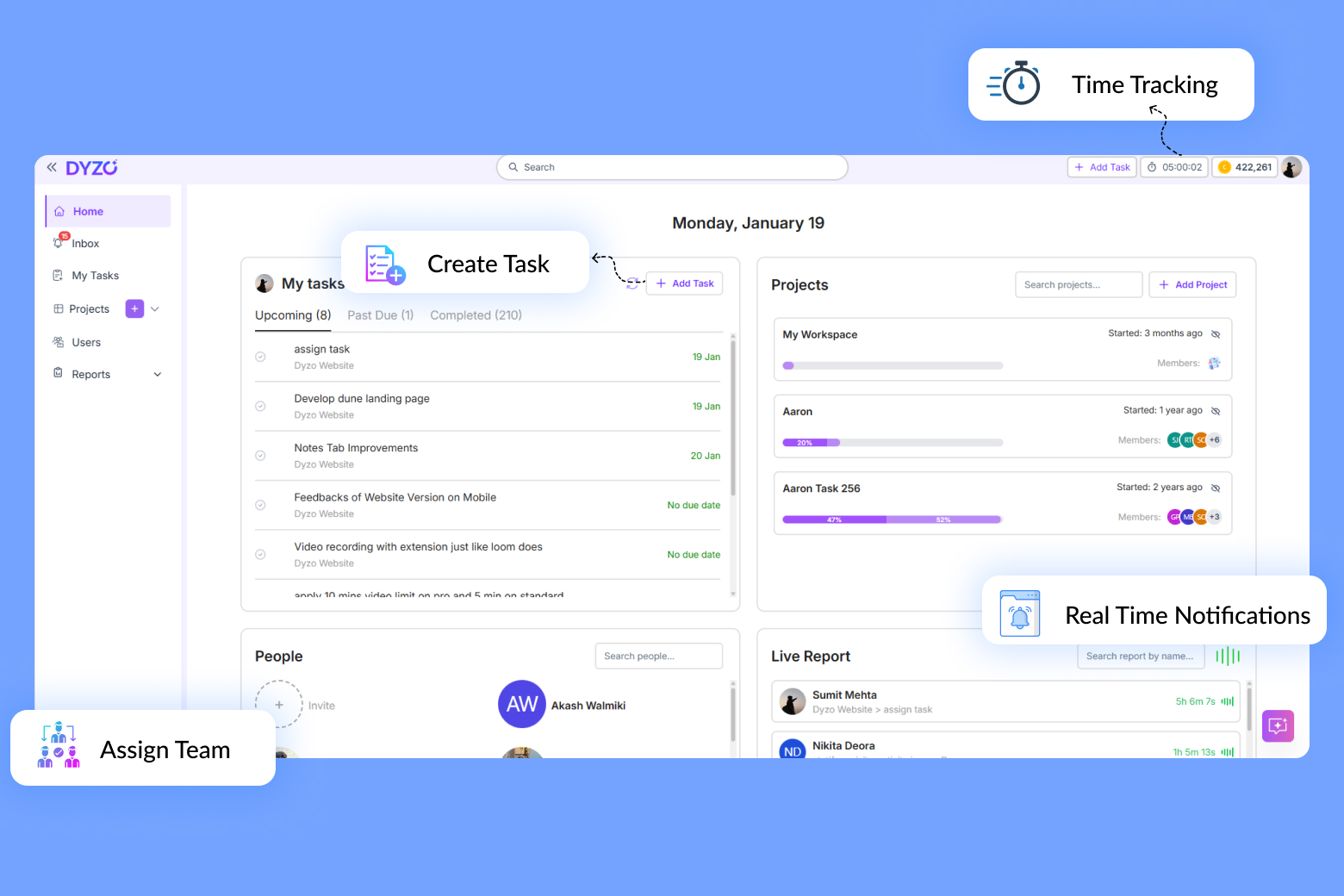
With Dyzo, creating and managing tasks takes seconds. You can assign responsibilities, set due dates, and track real-time progress - all from one clean dashboard. No clutter, no confusion.
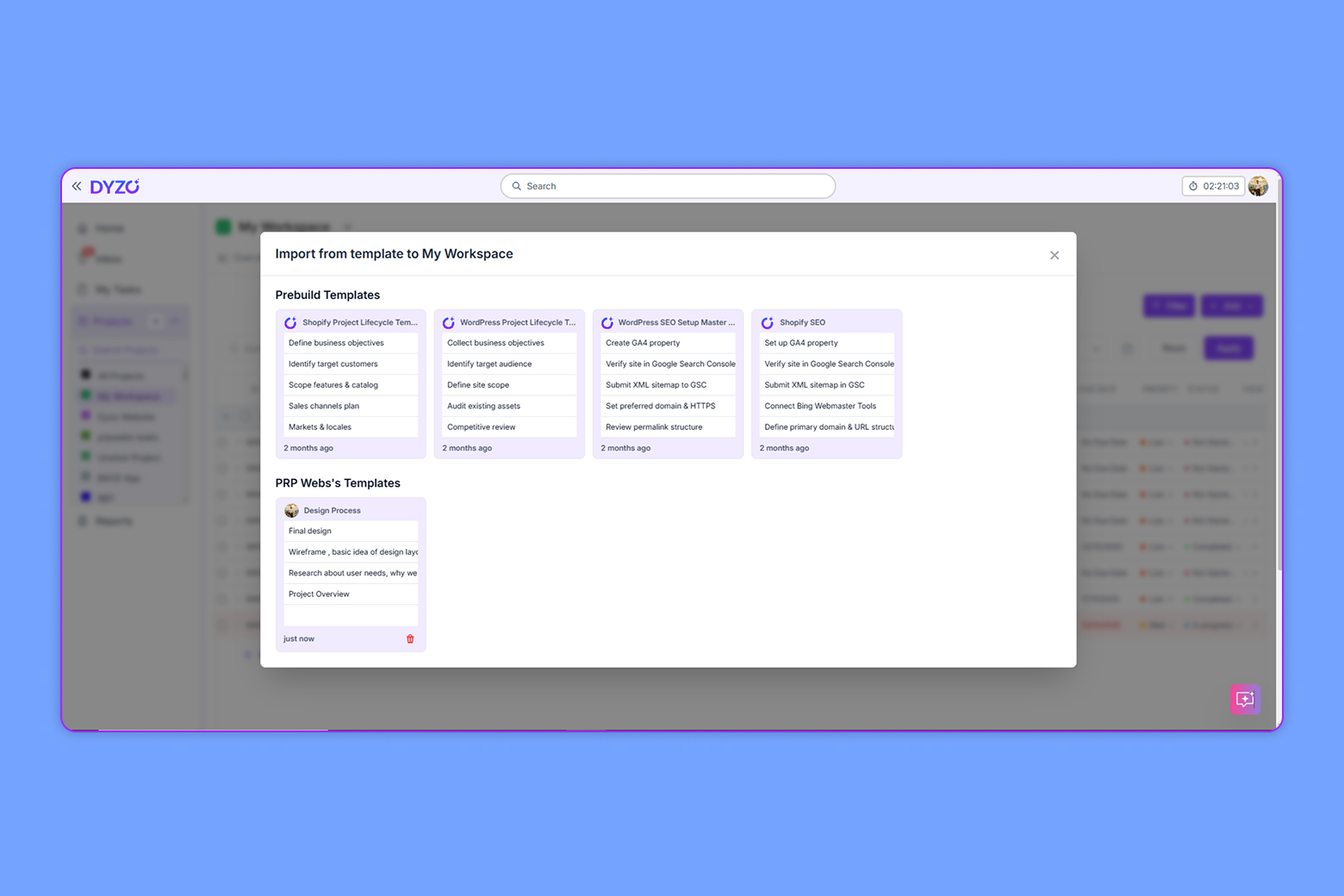
One-Click Templates for Repetitive Workflows
Recreating tasks manually is a productivity killer. Dyzo’s one-click templates let you launch recurring workflows instantly - perfect for agencies, operations teams, and developers.
AI-Powered Assistance
Dyzo’s AI assistant helps you automate everything from task creation to report summaries. Simply describe what you need, and the system structures it automatically.
Live Reports for Instant Visibility
No more chasing updates or scheduling daily check-ins. Dyzo provides live reports and activity snapshots, giving managers visibility without micromanagement.
Accurate Time Tracking Built-In
Time tracking in Dyzo is automatic and transparent. Every task is logged, every entry backed by context - perfect for teams that bill clients or need accountability.
Smart Notifications (No Overload)
You’ll only get notified about what matters: task updates, mentions, or deadlines. It keeps the team aligned without constant noise.
Free to Start, Affordable to Scale
Dyzo isn’t just powerful - it’s affordable. It’s free for 2 users, and just $1/user after that. Teams can scale confidently without breaking budgets.
How to Choose the Right Platform for Your Team (and Why Dyzo Fits)
When comparing options, ask these questions:
- Is it simple enough that my team will actually use it?
- Does it reduce meetings and communication chaos?
- Can it scale without adding complexity or cost?
- Does it promote accountability and transparency?
Dyzo checks all these boxes - and then some. It’s designed to give you structure without rigidity, automation without confusion, and power without overwhelm. Whether you’re a startup founder, agency owner, or department head, Dyzo helps your team do what it does best: collaborate efficiently and deliver results.
Getting Started with Dyzo
Building better workflows shouldn’t take weeks. With Dyzo, it takes minutes:
- Sign up for free
- Create your first project or import existing workflows.
- Enable live reports to replace daily check-ins.
- Use templates and AI assistance to speed up execution.
Ready to simplify collaboration? Try Dyzo free today.
FAQs
Q: What makes Dyzo different from tools like Asana or Trello? Dyzo focuses on simplicity and automation. No steep learning curve - your team can start within minutes. Q: Is Dyzo suitable for remote teams? Absolutely. Dyzo’s live reports and smart notifications are perfect for distributed teams needing real-time clarity.
Ready to try Dyzo for free?
Plan work, track time, and automate busywork — all in one place.
Start Free with Dyzo →No credit card required · Free forever plan · 2-minute setup
Part of these guides: