
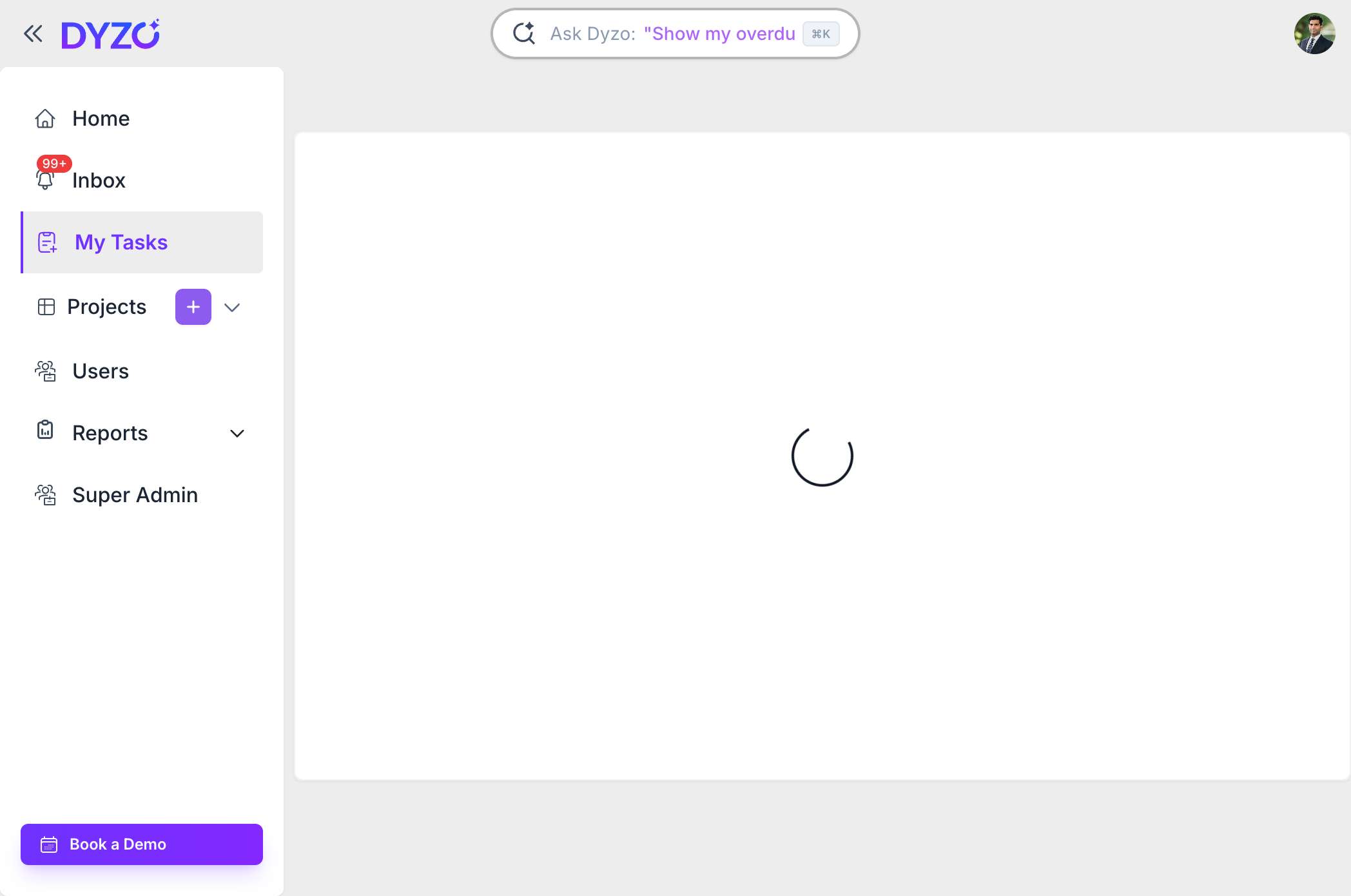
How to Create a Task in Dyzo (Step-by-Step Guide)
Learn how to create your first task in Dyzo in three quick steps. Open My Tasks, click the plus icon, name your task, and you're tracking work in seconds.
Set up Dyzo, invite your team, and learn the essentials.
7 articles
Learn how to create your first task in Dyzo in three quick steps. Open My Tasks, click the plus icon, name your task, and you're tracking work in seconds.
Dyzo AI is an all-in-one project management, time tracking, and team productivity platform. Learn what Dyzo does, who it’s for, key features, pricing, and how to get started free.
What is Dyzo MCP? Dyzo MCP (Model Context Protocol) allows your IDE or LLM to securely connect to your Dyzo workspace and manage tasks, projects, and reports using natural language. How to Get Dyzo MCP API Key (Token) Follow these steps to generate your Dyzo MCP API key: Login to your Dyzo account.
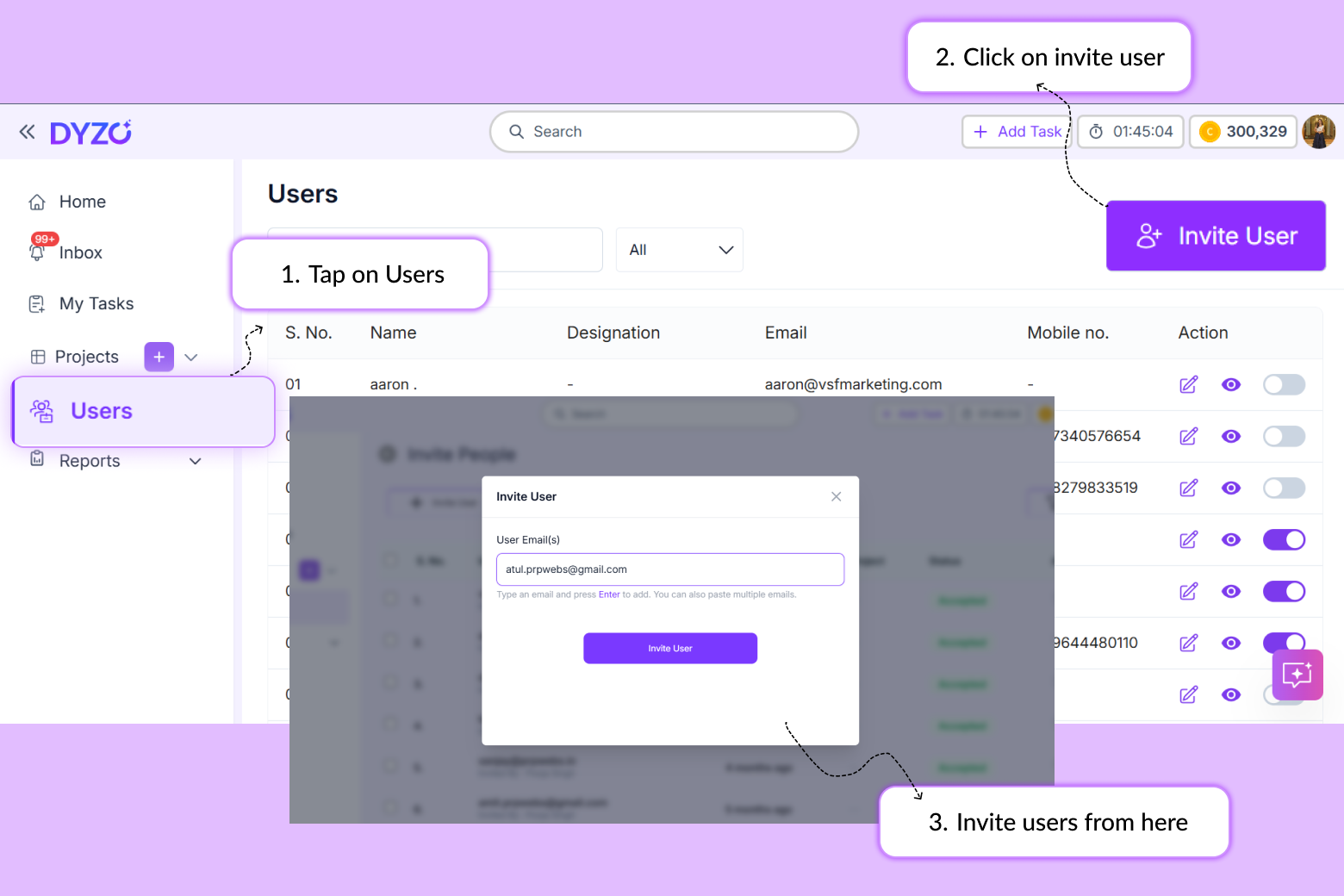
Introduction Building a remote team comes with one persistent challenge: getting everyone into the same system, working under the same structure. If your team is not set up correctly in your productivity tool, you lose visibility before the workday even starts. This guide shows you exactly how to in
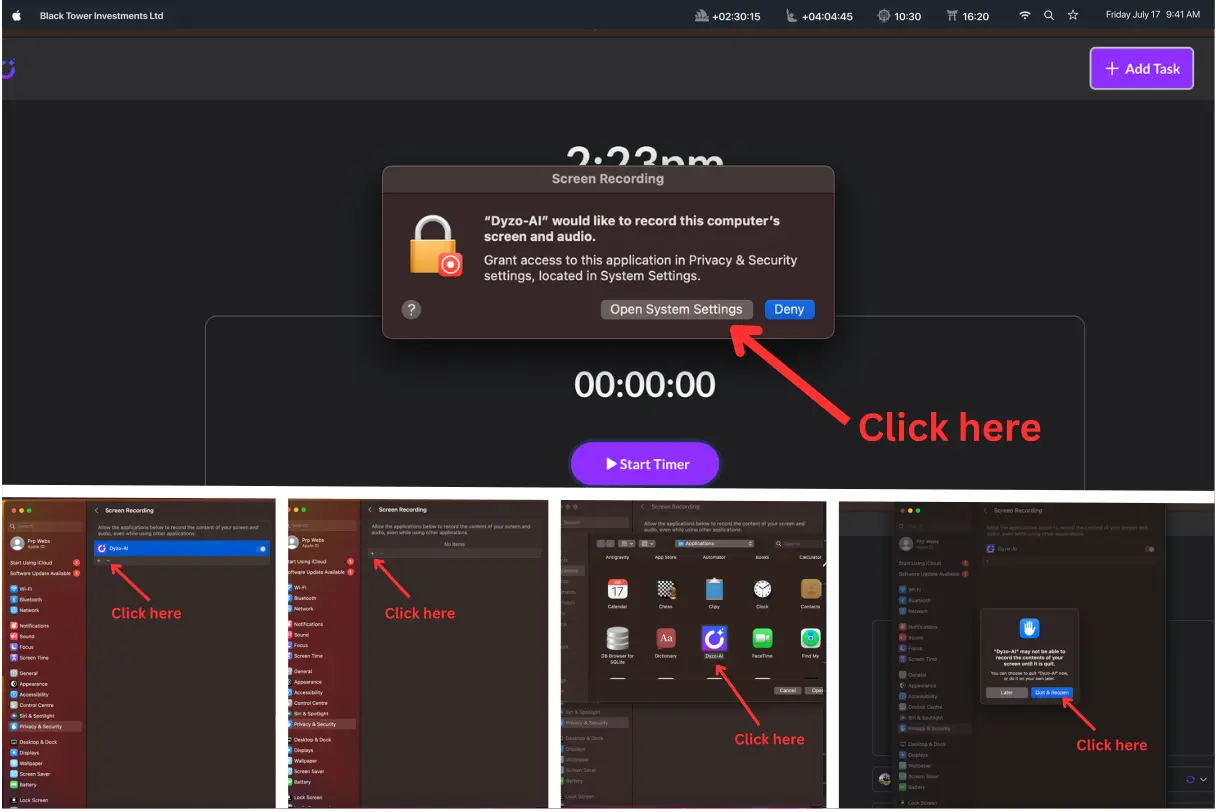
if you’re using the Dyzo Timer App on macOS and screenshots are not being captured properly, it’s likely due to missing Screen Recording permission. macOS requires explicit user approval before any app can capture screenshots or record the screen. Below is a simple step-by-step guide to fix the issu

Starting with a new platform can be overwhelming, especially when managing projects that require precise coordination but not with Dyzo.ai. Its super easy to set up and you can do it in three easy steps: 1.Sign up on Dyzo and invite your team mate. 2.Assign task to them, you can do that either manua

We’ve all been there: reading an email, browsing a client brief, or reviewing an online document when a new task pops into our head. The problem? Switching to a project management app interrupts our flow, breaks concentration, and adds unnecessary friction. Dyzo solves this with its Chrome Extension