Introducing Dyzo Outbound Webhooks: Supercharge Your Real-Time Automations
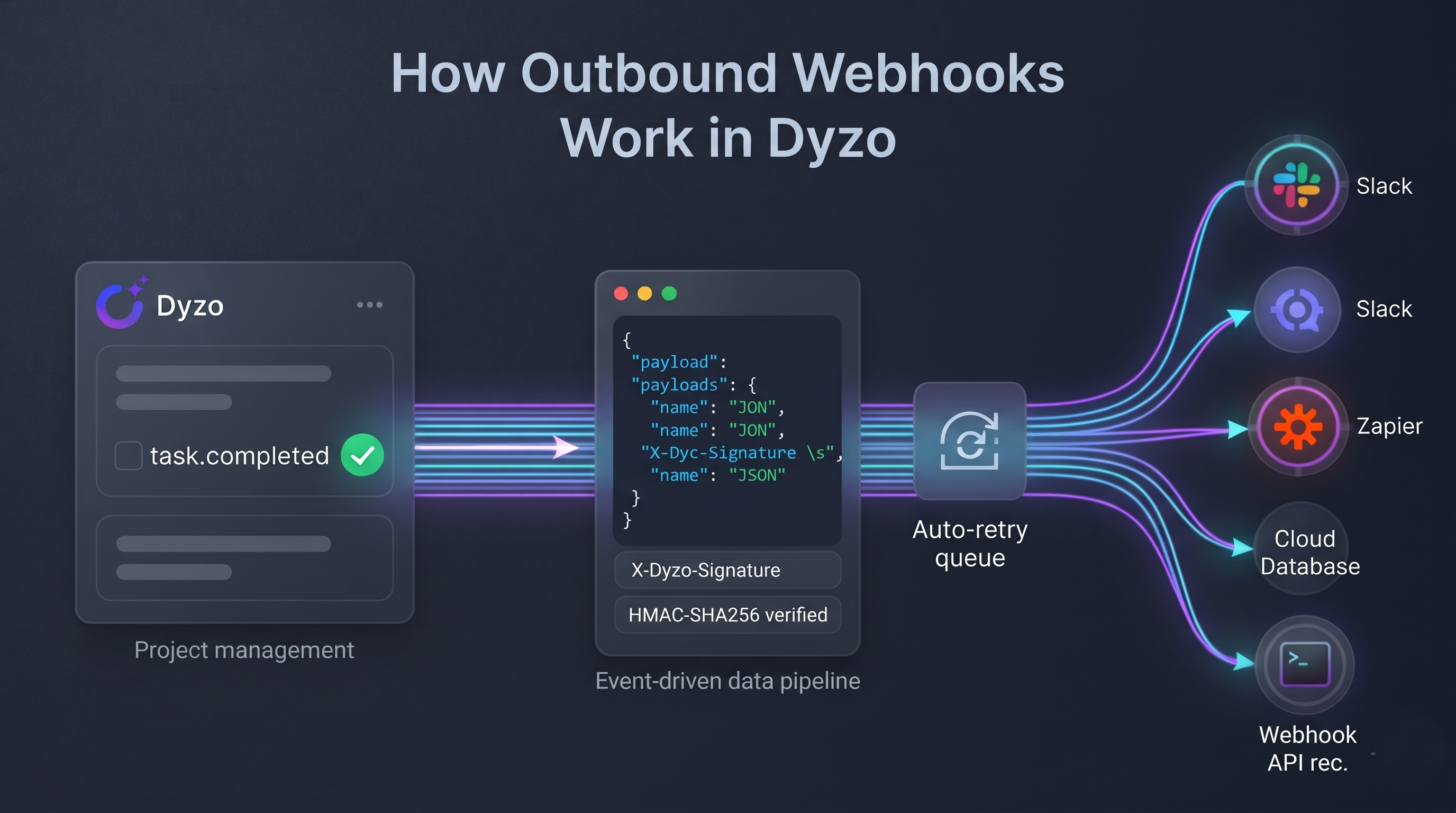
Say goodbye to manual checking and repetitive API polling. Connect Dyzo to your internal tools, Slack, Discord, Zapier, Make, and custom backends in real time.
Introduction: Why Webhooks?
In modern project management, speed and synchronization are everything. Whether you run a software agency, manage a remote team, or build client workflows, you often need things to happen the moment a task or project changes:
- A task is completed? Post an instant celebratory notification to your team's Slack or Discord
#winschannel. - A new project is created? Automatically generate a shared Google Drive folder and CRM deal.
- A high-priority bug is assigned? Trigger an instant alert to the on-call engineer's mobile device.
Until today, integrating with Dyzo meant polling APIs on a timer or checking the dashboard manually.
Today, we are thrilled to launch Dyzo Outbound Webhooks — an enterprise-grade, event-driven integration platform that delivers real-time HTTP notifications directly to your servers whenever activity happens inside Dyzo.
What Can You Do with Dyzo Webhooks?
- Zero Latency: Real-time push notifications delivered within milliseconds of an event.
- Granular Event Subscriptions: Choose exactly what you want to listen to — from specific task updates to complete project lifecycles.
- Enterprise Security: Every payload is cryptographically signed with an HMAC-SHA256 signature to guarantee authenticity and prevent tampering.
- Resilient Delivery with Exponential Backoff: Built-in retries (up to 5 attempts) ensure you never miss an event even if your server has temporary downtime.
- Full Audit Transparency: Live delivery logs with response latencies, HTTP status codes, and a payload inspector right in your dashboard.
Supported Events Catalogue
You can subscribe your webhook destinations to individual events or wildcard (*) for all events:
| Category | Event Name | Trigger Condition |
|---|---|---|
| Tasks | task.created | Fires when a team member creates a new task |
task.updated | Fires on name, priority, section, or status changes | |
task.completed | Fires when a task is marked as done | |
task.assigned | Fires when assignees are added or removed | |
task.deleted | Fires when a task is soft-deleted or removed | |
| Projects | project.created | Fires when a new project is created |
project.updated | Fires when project details or status change | |
project.completed | Fires when an entire project is marked completed | |
project.deleted | Fires when a project is deleted | |
| Comments | comment.created | Fires when a team member comments on a task |
Step-by-Step Guide: Setting Up Your First Webhook
Setting up a webhook in Dyzo takes less than 2 minutes.
Step 1: Open the Developer Center
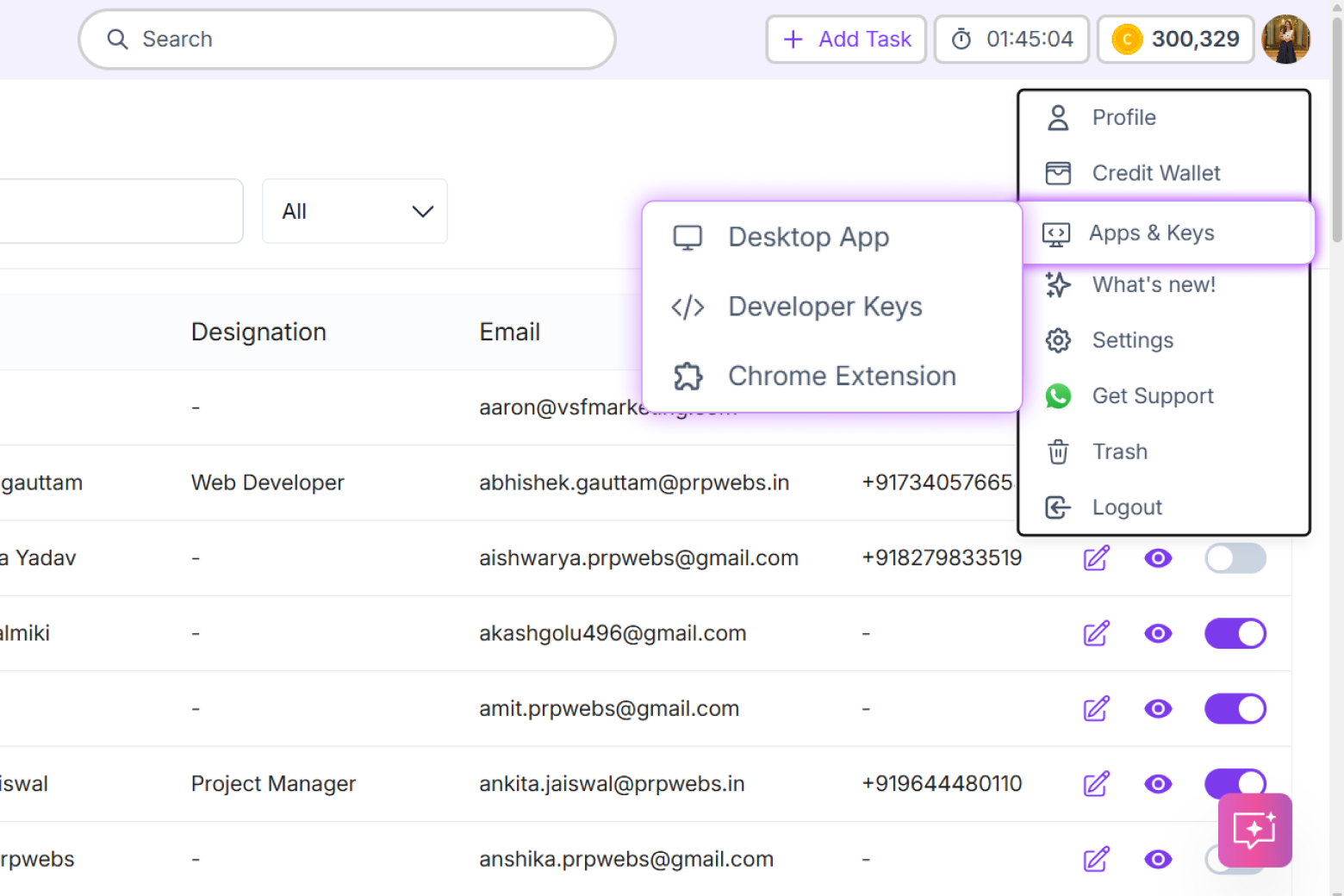
Log in to your Dyzo account and head over to: 👉 https://dyzo.ai/webhooks (or navigate to Settings ➔ API & Developer Center ➔ Outbound Webhooks).
Step 2: Register a Webhook Endpoint
Click the "Add Endpoint" button in the top right:
- Endpoint Name: Give it a recognizable name (e.g.,
Slack Notification BotorProduction Webhook Receiver). - Target Webhook URL: Enter your public HTTPS URL (e.g., your server endpoint, or a test URL from webhook.site).
- Subscribed Events: Select the exact events you want to listen to (e.g.,
task.completed,task.assigned), or click "Select All Events". - Click "Save Endpoint".
Step 3: Save Your Signing Secret
Once created, Dyzo will generate a secure Signing Secret (starting with whsec_...).
⚠️ Important: Copy and securely store this secret in your server's environment variables (
.env). It is used to verify that incoming webhook requests genuinely came from Dyzo.
Step 4: Send a Test Ping
Want to ensure your receiver is listening?
In your endpoints list, click the Three Dots (⋮) Menu next to your endpoint and choose "Send Test Ping". Dyzo will immediately dispatch a test event (ping) so you can verify reception and latency.
How to Verify Webhook Signatures (Security First)
To protect your receiver against spoofing and replay attacks, Dyzo signs every webhook payload with HMAC-SHA256.
Every request sent by Dyzo includes an X-Dyzo-Signature header in this format:
X-Dyzo-Signature: t=1732098400,v1=9e87b649d212c1b85...
t: Unix timestamp of the event.v1: The hexadecimal HMAC-SHA256 signature of${t}.${rawRequestBody}.
Example: Node.js (Express) Signature Verification
const crypto = require('crypto');

function verifyDyzoSignature(rawBody, signatureHeader, secret) {
  // Parse header: t=1732098400,v1=abc123...
  const parts = Object.fromEntries(
    signatureHeader.split(',').map(kv => kv.split('='))
  );

  const timestamp = parts.t;
  const receivedSig = parts.v1;

  // Optional: Prevent replay attacks by checking timestamp age (within 5 mins)
  const currentTimestamp = Math.floor(Date.now() / 1000);
  if (Math.abs(currentTimestamp - timestamp) > 300) {
    return false;
  }

  // Compute expected HMAC
  const toSign = `${timestamp}.${rawBody}`;
  const expectedSig = crypto
    .createHmac('sha256', secret)
    .update(toSign)
    .digest('hex');

  // Constant-time comparison to prevent timing attacks
  return crypto.timingSafeEqual(
    Buffer.from(expectedSig),
    Buffer.from(receivedSig)
  );
}

// In your Express route:
app.post('/api/dyzo-webhook', express.raw({ type: 'application/json' }), (req, res) => {
  const signature = req.headers['x-dyzo-signature'];
  const secret = process.env.DYZO_WEBHOOK_SECRET;

  if (!verifyDyzoSignature(req.body.toString(), signature, secret)) {
    return res.status(401).send('Invalid signature');
  }

  const payload = JSON.parse(req.body.toString());
  console.log(`Received Dyzo event: ${payload.event}`);

  // Process the event...
  res.status(200).send({ received: true });
});
Example: Python (FastAPI / Flask) Signature Verification
import hmac
import hashlib
import time

def verify_dyzo_signature(raw_body: bytes, signature_header: str, secret: str) -> bool:
    try:
        parts = dict(part.split('=', 1) for part in signature_header.split(','))
        timestamp = int(parts['t'])
        received_sig = parts['v1']

        # Prevent replay attacks (> 5 min old)
        if abs(time.time() - timestamp) > 300:
            return False

        to_sign = f"{timestamp}.".encode('utf-8') + raw_body
        expected_sig = hmac.new(
            secret.encode('utf-8'),
            to_sign,
            hashlib.sha256
        ).hexdigest()

        return hmac.compare_digest(expected_sig, received_sig)
    except Exception:
        return False
Monitoring & Delivery Logs
Transparency is essential when debugging integrations. Under the "Delivery Logs & History" tab in Dyzo:
- Live Status Badges: See whether an event was
DELIVERED,PENDING(retrying), orFAILED. - Latency & HTTP Status: View the exact response code (e.g.
200 OK,429,500) and response time in milliseconds. - Payload Inspector: Click "Payload" on any row to inspect both the raw JSON payload Dyzo sent and the exact response body your server returned.
- One-Click Manual Retry: If your receiver was temporarily down for maintenance, simply hit "Retry" to re-send the event instantly.
3 Popular Automations You Can Build Today
- Slack / Discord Channel Alerts:
Route
task.completedevents directly into your team's celebratory#winschannel. - Google Sheets / BI Dashboard Sync:
Listen to
task.updatedto sync task status, allocated hours, and assignees into your client reporting dashboard in real time. - Zapier / Make.com Workflows: Paste a Zapier Webhook trigger URL into Dyzo to connect Dyzo actions with 5,000+ business apps without writing a single line of code!
Ready to Get Started?
Dyzo Outbound Webhooks are live and available to all workspace users right now.
👉 Go to dyzo.ai/webhooks and configure your first endpoint today!
Have questions or need help integrating? Reach out to our team at support@dyzo.ai or check out our developer documentation inside the app.
Ready to try Dyzo for free?
Plan work, track time, and automate busywork — all in one place.
Start Free with Dyzo →No credit card required · Free forever plan · 2-minute setup
Frequently asked questions
What are Dyzo Outbound Webhooks?+
Dyzo Outbound Webhooks are real-time HTTP push notifications that Dyzo sends to your custom server or third-party apps (like Slack, Zapier, or Make) whenever an event occurs, such as a task being created, updated, or completed.
How do I secure and verify incoming Dyzo webhooks?+
Every webhook request includes an X-Dyzo-Signature header containing a timestamp and an HMAC-SHA256 signature generated with your webhook secret. You can compute the expected HMAC hash of `${timestamp}.${rawBody}` on your server using crypto.timingSafeEqual or hmac.compare_digest to prevent spoofing and replay attacks.
What happens if my server is temporarily offline when a webhook is sent?+
Dyzo includes resilient delivery with exponential backoff and up to 5 automatic retry attempts. You can also inspect the delivery log in the Dyzo dashboard and trigger a one-click manual retry at any time.
Can I filter which events Dyzo sends to my webhook endpoint?+
Yes. You can subscribe each webhook endpoint to specific granular events (like task.completed or project.created) or select all events using the wildcard (*) option.
Can I use Dyzo webhooks with no-code tools like Zapier or Make.com?+
Yes. You can create a Webhook Trigger in Zapier or a Custom Webhook in Make.com, copy the provided webhook URL, and paste it into Dyzo's Add Endpoint settings to trigger thousands of automated workflows without coding.
Part of these guides: