Time Tracker with Screenshots: Smarter Productivity & Trust
Introduction: Why Modern Teams Need More Than Just Time Logs
Managing work today goes far beyond checking who’s sitting at a desk. With remote teams, freelancers, and hybrid work models becoming common, the way work is done, and tracked, has changed significantly. A Time Tracker with Screenshots fits naturally into this shift. Managers often find it difficult to answer everyday questions: Is time being used efficiently? Are projects moving in the right direction? How can accountability be maintained without constant supervision? At the same time, employees and freelancers expect transparency, trust, and fair acknowledgment for their efforts. Traditional time tracking tools that record only hours often lack context, leading to gaps in visibility and confidence. A Time Tracker with Screenshots helps close this gap by adding visual context to time data. It supports alignment, productivity, and accountability, without creating a feeling of micromanagement.
What Is a Time Tracker with Screenshots?
A time tracker with screenshots is a productivity tool that records work hours while periodically capturing screenshots of the user’s screen during active work sessions. These screenshots provide visual proof of work without requiring constant oversight.
How It Works
- Users start a timer when they begin working on a task or project
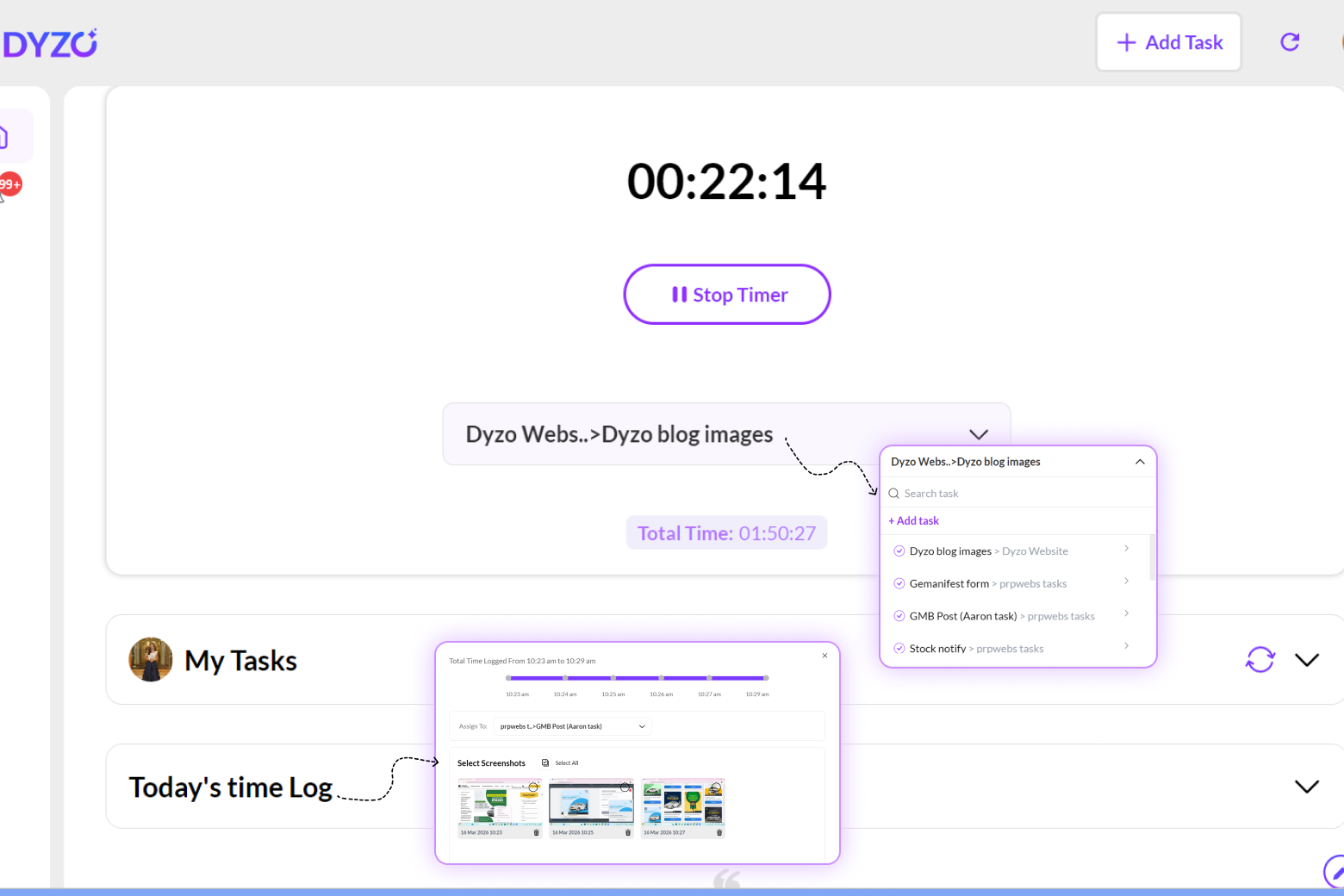
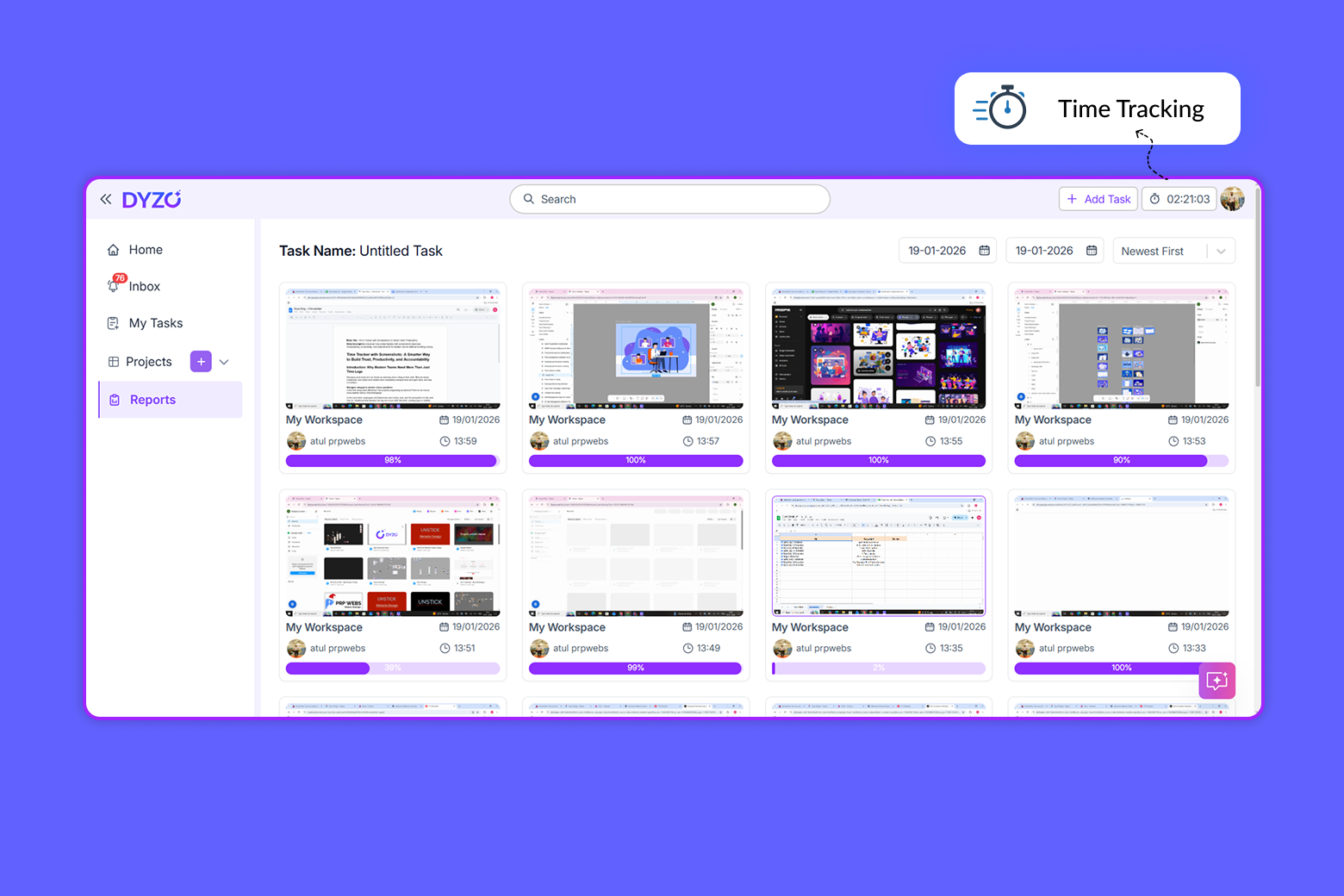
- The system captures screenshots at set or randomized intervals
- Activity levels, apps, or URLs are logged to add context
- Screenshots can be reviewed later as part of work reports
Modern tools also include privacy controls, such as screenshot blurring, customizable capture intervals, and user-controlled tracking periods.
Clearing a Common Misconception
A time tracker with screenshots is not spyware. When implemented correctly, it’s a transparency tool not a surveillance one. The goal isn’t to watch employees, but to:
- Reduce misunderstandings
- Create shared visibility
- Support fair evaluation and billing
Used responsibly, screenshot tracking actually increases trust rather than eroding it.
Key Benefits of Using a Time Tracker with Screenshots
1. Enhanced Transparency and Mutual Trust
Transparency is a two-way street. Screenshots help managers understand how work is progressing without repeatedly checking in, while employees and freelancers gain clear documentation of their efforts. Instead of vague assumptions, teams operate on shared visibility, reducing friction, miscommunication, and unnecessary follow-ups.
2. Accurate Project Time Tracking and Billing
For agencies and freelancers, billing disputes often arise from unclear time logs. A time tracker with screenshots adds visual validation to logged hours, making invoices easier to justify and approve. Clients gain confidence in what they’re paying for, and teams can track project budgets more accurately in real time.
3. Identifying Productivity Barriers and Workflow Gaps
Screenshots paired with activity data reveal patterns that pure time tracking can’t:
- Excessive app switching
- Frequent distractions
- Bottlenecks in workflows
This insight allows managers to optimize processes and provide support where it’s actually needed without guesswork.
4. Simplified Proof of Work for Freelancers and Remote Teams
Remote professionals often feel pressure to “prove” they’re working. Screenshot-based tracking removes that burden by creating automatic proof of work. Instead of spending time justifying productivity, freelancers and remote employees can focus on delivering results with confidence that their effort is visible and documented.
5. Data-Driven Performance Insights (Beyond Screenshots)
The real power of screenshot tracking isn’t the images themselves, it's the contextual data around them. When combined with activity levels, app usage, and task data, teams gain actionable insights rather than raw information.
Essential Features to Look for in a Time Tracker with Screenshots
Not all tools are created equal. Here’s what separates a basic tracker from a genuinely useful productivity solution.
Intelligent, Non-Intrusive Monitoring
A good system balances visibility with respect:
- Activity levels instead of keystroke spying
- App and URL tracking for context
- Smart screenshot intervals that avoid overload
The focus should be on outcomes and workflows not constant observation.
Strong Privacy Protection
Privacy controls are essential for user trust. Look for features like:
- Screenshot blurring
- Customizable tracking schedules
- User visibility into what’s being recorded
When people feel respected, adoption and engagement improve dramatically.
Comprehensive Live Reports & Snapshots
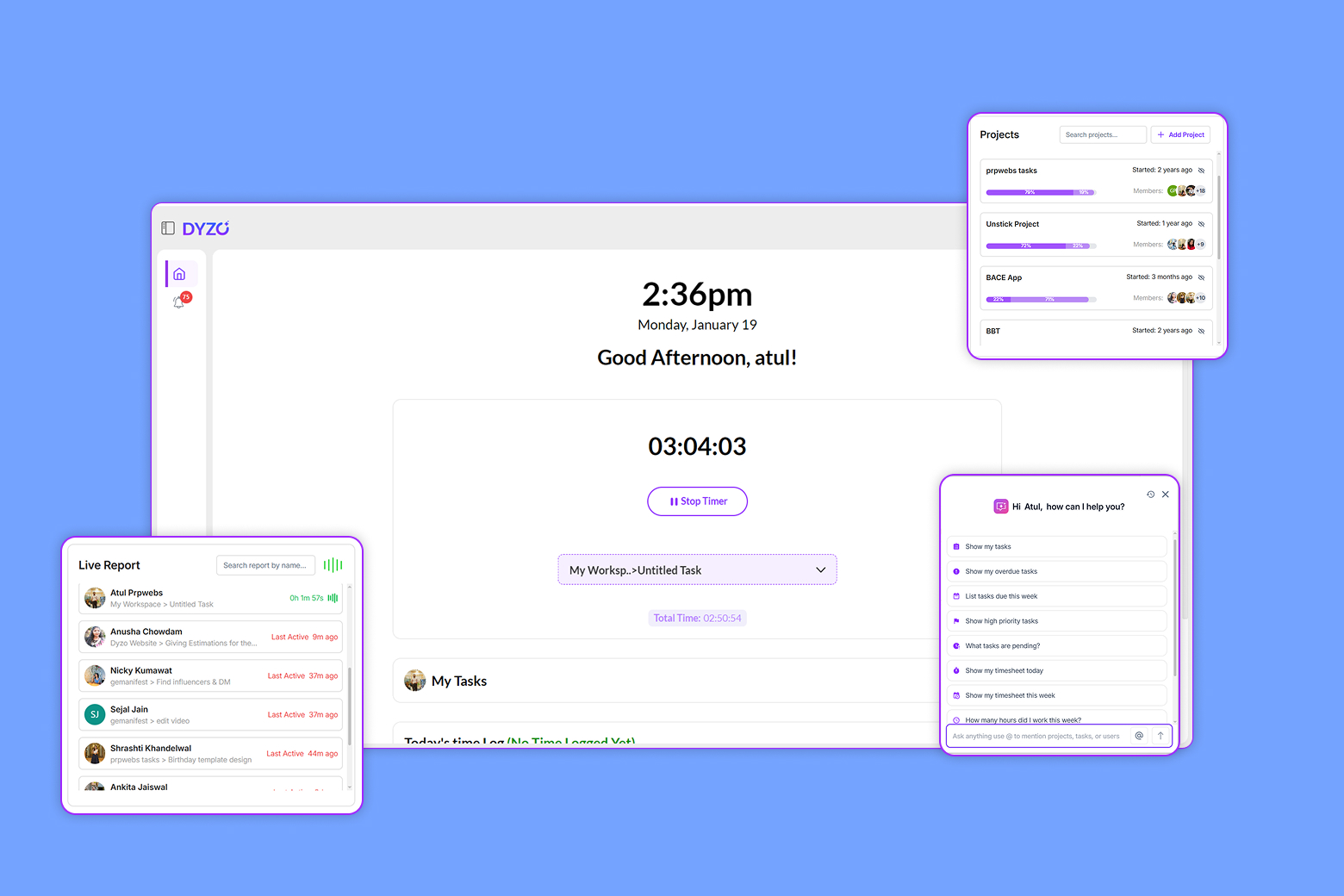
Real productivity insights come from combining real-time data with visual context. Features like Live Reports & Snapshots allow teams to monitor progress as it happens while maintaining historical records for audits, reviews, and invoicing. This eliminates last-minute surprises and keeps projects aligned throughout their lifecycle.
Seamless Integration with Project and Billing Tools
Time tracking shouldn’t live in isolation. The best tools integrate with:
- Project management systems
- Payroll and invoicing workflows
- Performance reporting dashboards
This ensures tracked time directly supports business outcomes.
The Power of AI Task management software
Modern productivity platforms go beyond tracking by applying intelligence to the data. With AI Task management software, screenshot and activity data can be transformed into meaningful insights:
- Automatically categorize work by task or project
- Suggest smarter time allocations
- Highlight productivity patterns and risks
AI shifts time tracking from passive monitoring to proactive work management.
Choosing the Right Tool: Why dyzo.ai Stands Out
When you step back, the ideal time tracker with screenshots should empower teams not control them. That’s where dyzo.ai fits naturally into the conversation. Dyzo.ai combines:
- Intelligent, privacy-first screenshot tracking
- Real-time reporting and visual proof of work
- AI-driven task and productivity insights
Instead of treating screenshots as surveillance, dyzo.ai positions them as a shared source of clarity. Managers gain the visibility they need. Teams gain structure, fairness, and confidence. Its clean interface and thoughtful feature set make it easy to adopt across teams whether you’re managing a distributed workforce, running an agency, or freelancing independently.
Conclusion: From Tracking Time to Empowering Work
A time tracker with screenshots is no longer just about logging hours. When used thoughtfully, it becomes a platform for trust, productivity, and smarter decision-making. By combining visual context, real-time reports, and AI-driven insights, modern tools help teams work better, not just longer. They reduce friction, support accountability, and bring clarity to remote and hybrid environments. If you’re looking to create a transparent, productive, and empowering work culture, exploring a modern solution like dyzo.ai is a strong step forward one that aligns people, projects, and performance without unnecessary complexity.
Ready to try Dyzo for free?
Plan work, track time, and automate busywork — all in one place.
Start Free with Dyzo →No credit card required · Free forever plan · 2-minute setup
Part of these guides: